Project Management Software for Freelancers: What to Look for in 2025
At a glance
Assess project software using a real project: task organization, scheduling, client context and everyday maintenance. Features and prices change, so verify current details before choosing a subscription.
Why Freelancers Need Project Management Software
You might think project management software is only for agencies or big teams with lots of moving parts. But if you’re a freelancer juggling multiple clients, deadlines, and deliverables—you’re already managing projects.
The only question is: are you doing it with a system that helps… or one that holds you back?
Strong project management software helps freelancers:
- Keep track of client work without losing context
- Stay organized and consistent across projects
- See what’s due, what’s done, and what’s coming up
- Create repeatable processes that save time and mental load
It’s not about “managing more”—it’s about doing less admin and more of the actual work.
The 2025 Problem: Too Many Tools, Too Little Time
In 2025, freelancers are overwhelmed with options. Notion. ClickUp. Trello. Asana. Airtable. Monday. Every week, there’s a new “productivity stack” promising to streamline your life.
But here’s the truth: most of these tools are built for teams—not solo business owners.
What ends up happening is:
- You spend hours setting up dashboards
- You build workflows that are too complex to maintain
- You lose time jumping between disconnected tools
- You give up and go back to sticky notes or spreadsheets
Freelancers don’t need all the bells and whistles. We need:
- Clear visibility
- Easy task tracking
- A place to store client details and files
- Repeatable workflows that don’t require reinventing the wheel
That’s the new standard for project management in 2025.
What to Look for in Project Management Software (as a Freelancer)
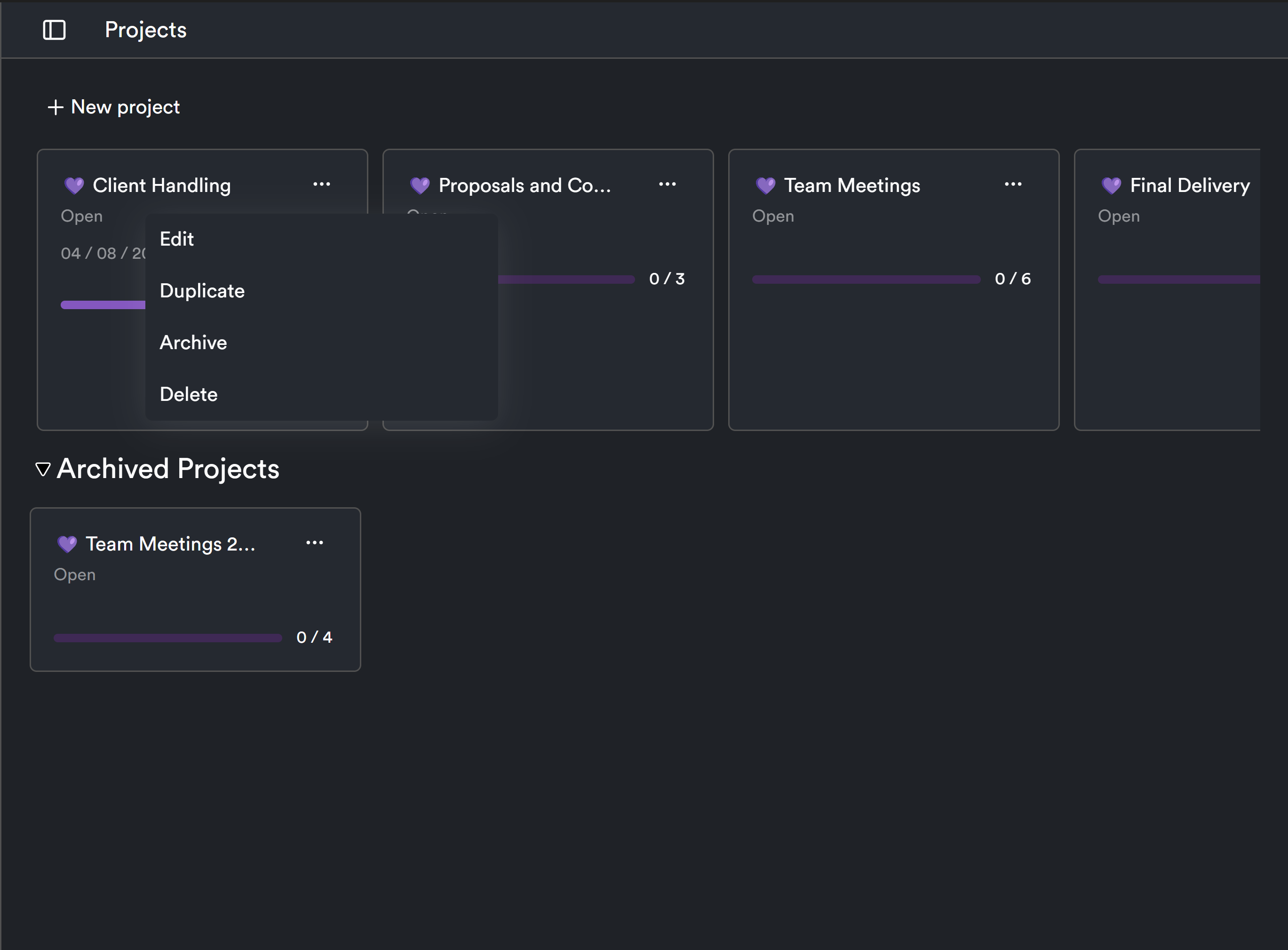
Here’s what actually matters when choosing a tool as a solo business owner:
1. A Clean, Simple Dashboard
You need to see:
- What you’re working on
- What’s coming next
- What’s falling behind
Bonus points if it’s visual and intuitive.
2. Project-Based Organization
You want to track work by client and project. Not everything mashed together. Ideally, your tool should let you:
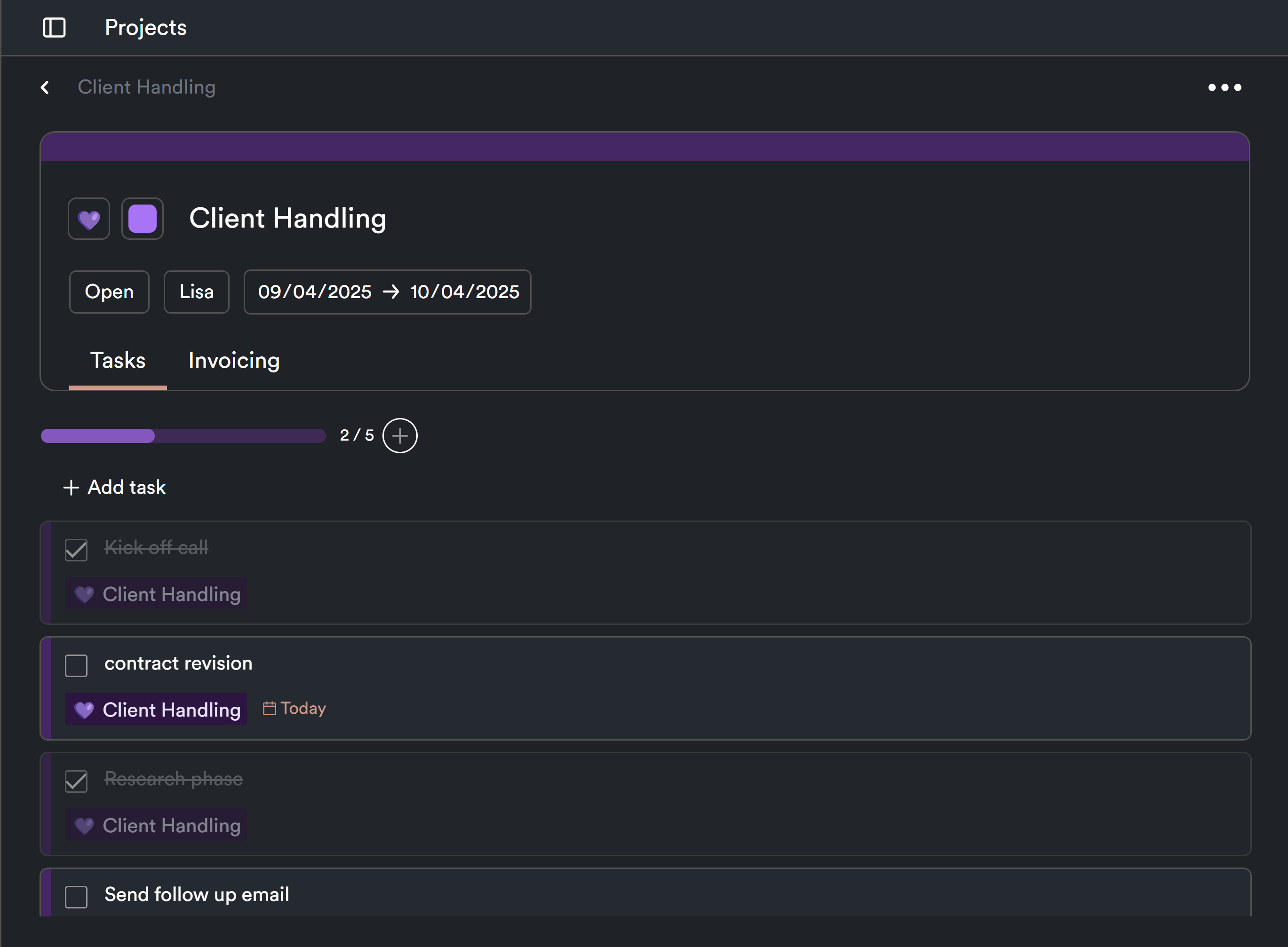
- Assign deliverables per project
- Store notes and files in one place
- Monitor status and timeline
3. Task Lists With Deadlines (Not Chaos)
Your to-do list should live inside your project view. Look for:
- Due dates
- Reminders
- Subtasks and phases
Without this, it’s just another note app.
4. File and Note Storage
You don’t want to toggle between Drive, Dropbox, Docs, and your project board. Everything should live in one system.
Think: briefs, contracts, final deliverables, feedback notes—all linked to the right client or task.
5. Templates and Reusability
You shouldn’t rebuild the same project structure from scratch every time. The best software will let you:
- Duplicate project workflows
- Reuse task lists
- Standardize your onboarding, delivery, and follow-ups
6. Client-Friendly (Even If They Never Log In)
Even if you don’t give clients access, your software should help you communicate clearly. That means:
- Organized files
- Clear timelines
- A system that makes you look professional
7. Lightweight But Scalable
You want a tool that supports you now—and grows with you later. No steep learning curve. No complex onboarding.
Just plug and go.
Red Flags to Avoid in Popular Platforms
Some project management tools are great—for teams. But for solo freelancers? Not so much.
🚩 Too many features
If you need a YouTube tutorial to figure out task management, it’s overkill.
🚩 Enterprise language
If the homepage says “scale across global teams”—run.
🚩 Paywalls for basic functions
Need to track subtasks or upload files? That shouldn’t cost an extra $20/month.
🚩 Messy UX
If your dashboard feels cluttered or confusing, you won’t use it. And tools only work if you actually use them.
How ProjectBook.co Is Designed for Freelancers
Here’s where ProjectBook.co stands out: it was built specifically for freelancers, consultants, and small business owners who want structure—without overwhelm.
✅ Track tasks, projects, and clients in one place
✅ See every deadline on a simple, clean dashboard
✅ Add notes, files, and deliverables by client
✅ Create and reuse project templates
✅ Look and feel organized—even if you’re working solo
It’s not a stripped-down corporate tool. It’s a calm, lightweight command center for people who run businesses on their own.
If you’re ready to stop hacking together spreadsheets, email chains, and sticky notes, ProjectBook.co might be exactly what you’ve been looking for.
Frequently Asked Questions (FAQ)
Do I really need project management software if I’m a freelancer?
Yes—especially if you're juggling multiple clients or deliverables. A good system gives you visibility, consistency, and peace of mind.
What’s the difference between project management and business management software?
Project management focuses on what needs to be done and when. Business management includes client records, contracts, notes, and back-office systems. ProjectBook.co combines both—so you don’t need separate tools.
How does ProjectBook.co compare to tools like Trello or ClickUp?
Trello and ClickUp are powerful, but often too feature-heavy for freelancers. ProjectBook.co keeps things simple, intuitive, and freelancer-focused—no setup stress or team-based complexity.
Can I manage multiple clients with ProjectBook.co?
Yes. Each client gets their own workspace with tasks, files, and notes attached—so you can switch between projects without losing context.
What if I already use a different system?
You can gradually migrate projects into ProjectBook.co and streamline over time. Many freelancers find they can replace 3–5 tools with one clean dashboard.
Final Thoughts: In 2025, Simplicity Wins
The future of project management isn’t more features—it’s less friction. Freelancers don’t need another tool to learn. They need a place to work that feels like home base.
A good tool should support your best habits, not get in the way of your flow.
Ready to simplify your workflow in 2025?
Try ProjectBook.co—and manage your freelance business with calm, clarity, and confidence.
From ideas to a clearer week