Feeling Scattered? Here’s How to Organize Your Client Projects with One Tool

At a glance
Give each client project one reliable home for tasks, decisions and status. Bring scattered notes into that structure and make the next action visible before adding more process.
Feeling Scattered? You’re Not Alone
If you’ve ever spent 15 minutes searching through email threads, Google Docs, or sticky notes just to find out where you left off with a client—you’re not alone.
Most freelancers don’t start with a full-blown business system. We build things as we go:
- One tool for task lists
- Another for contracts
- A folder full of client notes
- A dozen browser tabs you “swear you’ll sort later”
And eventually, it all becomes too much.
You’re not disorganized. You’re just operating without a central hub.
Let’s change that.
The Problem with Managing Projects Across Multiple Tools
Juggling your workflow across five platforms doesn’t make you more efficient—it creates more work.
Here’s what starts to happen:
- You forget which version of a file is final
- You miss deadlines because your task list isn’t synced with your timeline
- Clients feel confused or unprioritized
- You feel like you're managing tools instead of doing actual work
It’s not just frustrating—it’s unsustainable.
The more scattered your systems, the more mental energy it takes to stay afloat.
What an Organized Project Workflow Actually Looks Like
Imagine this:
- Every client has a home base
- You can see what’s due this week (and what’s overdue) at a glance
- Notes, files, deadlines, and feedback live in one spot
- You can duplicate workflows instead of building from scratch
- Clients feel confident because you show up with clarity
That’s not a fantasy. That’s what a single, focused tool can do—if it’s designed for freelancers.
You don’t need enterprise software. You need something lightweight, intuitive, and ready to work the way you do.
How to Centralize Your Client Projects with One Tool
Here’s a step-by-step way to transition from scattered to streamlined:
✅ Step 1: Create a Project for Each Client
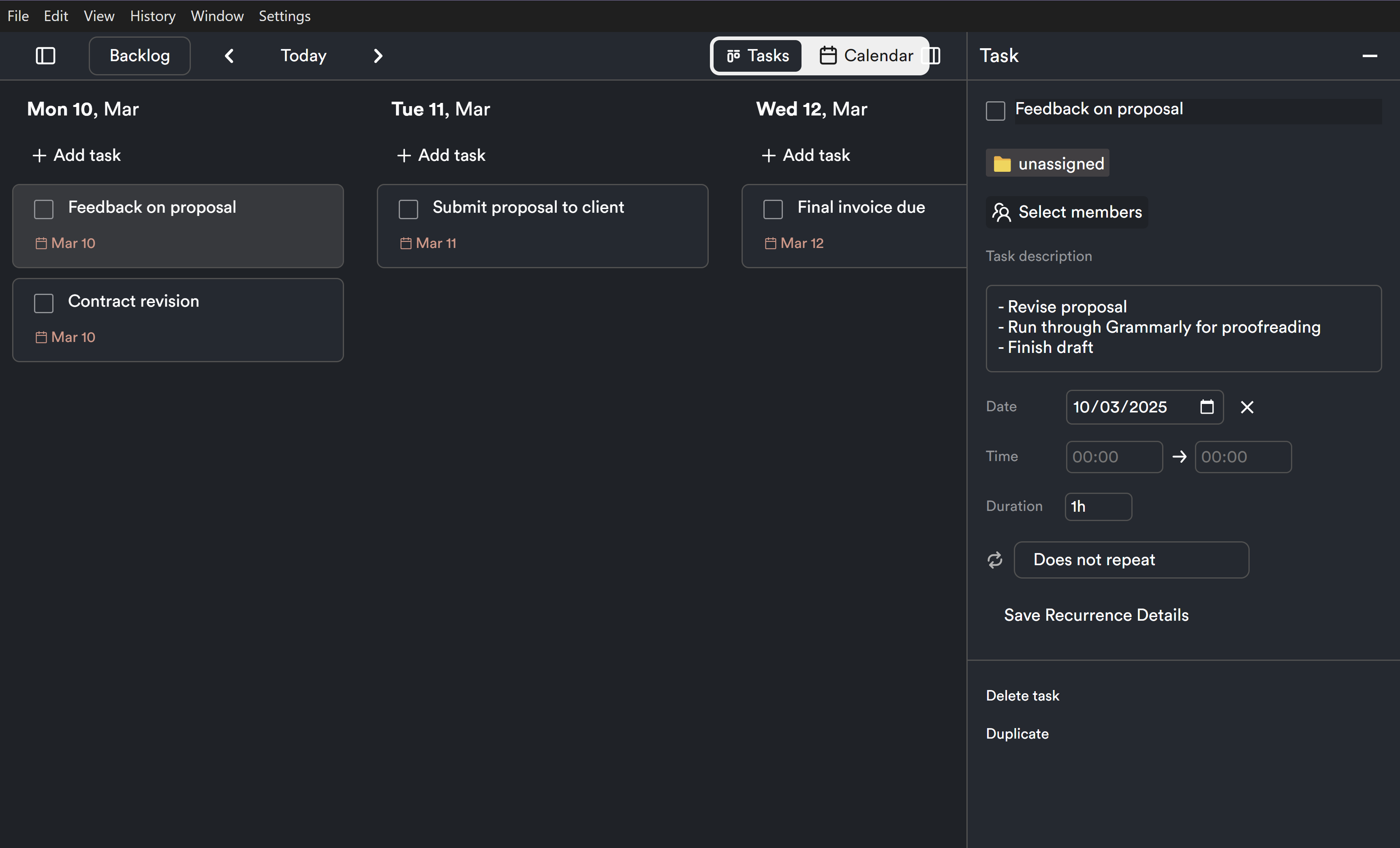
Start by assigning every active client their own workspace or project card. This keeps tasks, notes, and deliverables separated—but easily accessible.
In ProjectBook.co, each client gets their own hub, so you never mix up timelines or miss a beat.
✅ Step 2: Add Tasks with Due Dates
Don’t rely on memory or random to-do lists. Add each task directly to the project—whether it’s “send draft,” “collect assets,” or “follow up on feedback.”
Tasks should be:
- Tied to a project
- Dated for visibility
- Prioritized (optional, but helpful)
✅ Step 3: Store Files and Notes in One Place
No more digging through email attachments or trying to remember which Google Doc is current.
With ProjectBook.co, you can:
- Upload documents to the project workspace
- Take notes after every client call or feedback exchange
- Track version history and final deliverables
✅ Step 4: Set Milestones or Phases
For longer projects, break things into chunks:
- Discovery
- First draft
- Revisions
- Final delivery
- Offboarding
This gives you momentum—and gives your client confidence.
✅ Step 5: Use Templates for Repeatable Work
If you offer a recurring service (like web design, copywriting, or coaching), your process likely follows the same steps every time.
Stop rebuilding. Start duplicating.
With ProjectBook.co, you can save a full workflow as a template and reuse it—making onboarding faster and more consistent.
Why ProjectBook.co Is Built for Freelancers and Small Teams
Big platforms like ClickUp or Asana are powerful—but they’re not designed for solo operators or small service-based businesses.
That’s where ProjectBook.co comes in.
We built it for people like you—freelancers, consultants, creative pros—who want:
✅ Clean visibility across all client projects
✅ One place to store everything that matters
✅ Simple task and timeline tracking
✅ Notes and docs attached directly to work
✅ Structure without complexity
With ProjectBook.co, you don’t need 5 tabs open to manage your business. You just need one that works.
Frequently Asked Questions (FAQ)
What if I’m already using other tools?
No problem. You can slowly migrate your active projects into ProjectBook.co—and use templates to set up new workflows quickly.
Will ProjectBook.co work if I have different types of clients or services?
Yes! You can create custom workflows, templates, and project types for different services. Each client gets their own workspace.
How does this help me stay organized long term?
Because everything is tied to the client project—notes, files, tasks, and deliverables—you don’t lose context. You’ll spend less time searching, second-guessing, or redoing work.
Can I use this to manage retainer clients too?
Absolutely. Just set up a monthly project or recurring workflow and track deliverables as they’re completed.
How is this better than using Google Docs or Trello?
Docs and boards are great for ideas. But ProjectBook.co helps you connect your tasks, files, and timelines together—so you stay focused and in control.
Final Thoughts: You Deserve a Clearer Workflow
You didn’t become a freelancer to spend your days digging through folders and updating spreadsheets.
You started your business to do great work—and that means having a system that supports you.
If you’re feeling scattered, it’s not a sign you’re doing it wrong. It’s a sign you need better support.
Ready to bring clarity to your client work?
Try ProjectBook.co today and run your business from one tool that actually gets how you work.
From ideas to a clearer week