At a glance
Keep client project records and financial documents organized throughout the year. Separate invoices, receipts and payment records so the information needed for filing can be found and reviewed.
Why Tax Season Isn’t Just About Finances
When tax season rolls around, everyone scrambles for receipts and numbers. But if you’re self-employed, your tax filing isn’t just about money—it’s about the paper trail.
The IRS doesn’t only care about how much you made; they care about how you made it. That means:
- Client contracts
- Project timelines
- Invoices and scope documents
- Proof of work completed and services rendered
In other words, your project organization matters as much as your expense spreadsheet. And if you're running a business of one, your sanity depends on being able to quickly find what you need.

What You Actually Need for Tax Time (Beyond Receipts)
Even if you’re using a bookkeeper or a CPA, you are likely going to be asked for the following documentation:
- A breakdown of when projects started and finished
- Notes on what each client paid for
- Documentation of your work (especially for high-value services)
And, here's what you should always have handy:
- Signed client contracts
- Project proposals or scope of work docs
- A summary of what was delivered, and when
- Final invoices (you likely keep these in your invoicing tool—but linking them to the project they belong to can save a ton of time)
You don’t need full-blown accounting software to do this right. You just need to stay organized from the start—and have a system that lets you clean up when it’s time to report.
Step 1: Sort and Centralize Your Client Projects
If you’ve been operating from a mix of email threads, Google Docs, and your own memory, it’s time for a project audit. Take stock of all the clients you worked with over the past year and ask:
- Is the project fully wrapped?
- Is all the client-facing documentation complete?
- Do I know where the signed agreement is?
- Can I clearly tell what the client paid for, and when?
Now’s the perfect time to build a centralized hub—even if it’s just for your own peace of mind.
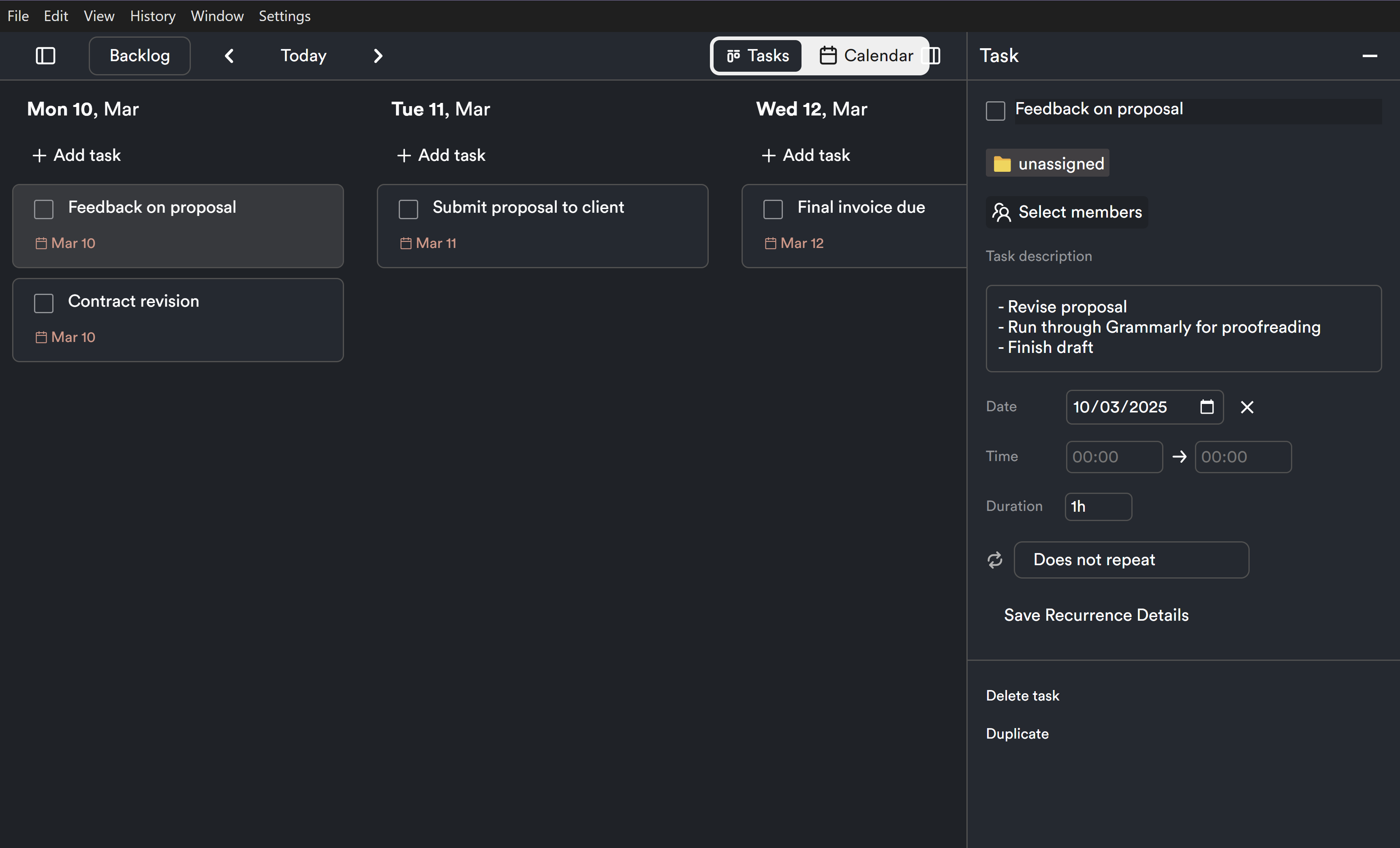
💡 With ProjectBook.co, you can organize each client by project, upload contracts, log milestones, and track the entire lifecycle—from onboarding to offboarding.
Step 2: Create a Simple, Repeatable File Structure
You don’t need a complicated folder system—you just need one that works every time.Here’s a template you can use for each client:
Client Name > Project Name >
- Contract
- Proposal or Scope of Work
- Deliverables
- Final Invoice or Payment Confirmation
- Notes / Timeline / Feedback
Standardized naming helps too. Use formats like:
ClientName_ProjectName_Contract_2023.pdfThis makes documents searchable later - especially helpful if you’re trying to match payments or clarify services with your accountant. Feel free to tweak this based on what makes sense for you. A good practice to work on as you are
💡 Set up your file structure once in ProjectBook.co, and duplicate it for every new client automatically.
Step 3: Archive and Annotate Your Finished Work
Once a project wraps, don’t just move on. Take five minutes to close it out properly:
- Confirm the project status is “Complete”
- Note the final delivery date
- Log any final feedback or testimonials
- Record whether you asked for a referral or follow-up
Doing this regularly keeps your project archive useful -not just a digital junk drawer. Regularly cleaning your documents and organizing new documents (we recommend every Friday afternoon before you log off for the weekend.)
💡 In ProjectBook.co, use project status tags, completion logs, and internal notes to track each client’s timeline and post-project follow-ups.
Step 4: Use a Tool That Keeps Everything in One Place
Here’s the truth: your brain isn’t the best storage device. Neither is your inbox. If you want to make tax time easier (and honestly, if you want to run your business with less stress), you need a digital home base for your client projects.
A tool like ProjectBook.co helps you:
- Store contracts, notes, and files by project
- Track when work was done
- Keep communication records in one spot
- See what’s active vs. what’s archived
- Feel calm, not chaotic, when tax season arrives
The more you use a centralized system year-round, the less scrambling you’ll have to do next March.
Frequently Asked Questions (FAQ)
1. Do I need accounting software to prepare for tax time?
Not necessarily. If you work with a CPA or use a separate bookkeeping tool, having your project documentation clearly organized (contracts, timelines, services delivered) is more than enough to support your reporting.
2. What project-related info will my tax preparer need?
They’ll want to know how much you earned, from whom, and what services you provided. Being able to pull up a scope of work, timeline, or agreement can help clarify details.
3. I haven’t been tracking my projects all year—what now?
Start from today and do a year-end cleanup. List all clients from the past year, gather your contracts and files, and store them in one place moving forward.
4. What’s the best way to keep client work organized year-round?
Use a project management tool like ProjectBook.co to track timelines, store contracts, and keep all notes in one dashboard. This reduces the mental clutter of trying to manage it all manually.
5. Can project organization really make tax time easier?
Absolutely. It gives you a clear record of what was done, for whom, and when—saving time, avoiding confusion, and helping your accountant do their job.
Final Thoughts: Get Your Project House in Order
Tax season doesn’t have to mean hunting through folders and reliving a year’s worth of inbox drama. With a clear system in place, you can feel confident that every project is documented, every contract is stored, and every deadline is accounted for.
Organizing your client projects isn’t just about compliance—it’s about clarity, professionalism, and running your business like a business.
🚀 Want to make project organization the easiest part of tax season? Try ProjectBook.co today and set yourself up for a stress-free spring—and a streamlined business year-round.
From ideas to a clearer week