How do I subscribe to ProjectBook Pro?
Updated
How do I subscribe to ProjectBook Pro?
- Create a ProjectBook account and set up your workspace.
- Choose the plan that fits your needs: Pro for one person, or Team for unlimited members, each billed monthly or yearly. The current prices are on the pricing page.
- Click Start free trial and enter your payment details with Stripe, the company that handles our payments. A workspace's first plan starts with a 7-day free trial, and the first charge comes when the trial ends. A workspace that has had its trial shows Continue instead, and is charged straight away.
- Return to ProjectBook and enjoy your plan.
Only an admin of the workspace can choose or change its plan.
How do I cancel my subscription?
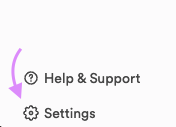
- Click Settings at the bottom of the left sidebar.
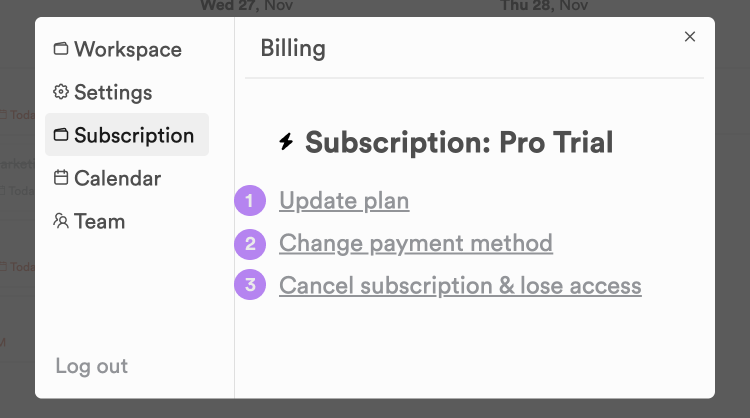
- Open the Subscription tab and click option 3, “Cancel subscription & lose access”. The other two options change your plan or update your payment method.
- Pick a reason and write a short note about why you're leaving (at least 100 characters), then click Continue to cancel. That takes you to Stripe, where you confirm the cancellation.
How do I change my plan from monthly to yearly?
Open Settings, go to the Subscription tab and click Update plan. Make sure the switch at the top is on yearly (it is by default), then click “Switch to yearly” on your plan. If the button on your plan reads Current for both monthly and yearly, write to us at contact@projectbook.co and we will sort it out. Your monthly subscription ends when the yearly one starts, with no credit for the time left on it, so the best time to switch is just before your monthly renewal.
Why should I pay for ProjectBook Pro?
Running and maintaining a product like ProjectBook is expensive. Please consider supporting us so that we can be around for the long term. We love our users, and we want to build a productivity platform that makes the lives of knowledge workers much better. To do that, we need revenue to support product development.
Still stuck?
Write to us at contact@projectbook.co and say what you were trying to do. A screenshot helps.
Contact support