Manage your ProjectBook subscription
Updated
You can update your subscription settings in the ProjectBook app.
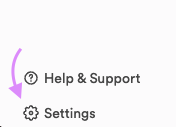
- Click Settings at the bottom of the left sidebar.
- Open the Subscription tab. On a phone, Settings shows its sections one after another, and this one is headed Billing.
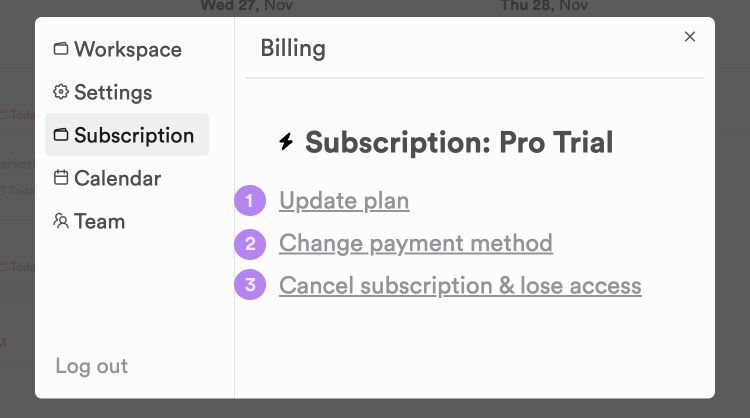
- Select from the following options:
- Update plan: change your subscription, for example from Pro to Team, or from monthly to yearly billing and back. Your current subscription ends when the new one starts, with no credit for the time left on it.
- Change payment method: update the card on file. You will be taken to our payment partner, Stripe, to make the change.
- Cancel subscription & lose access: cancels your ProjectBook subscription. Pick a reason and write a short note about why you're leaving (at least 100 characters), then confirm the cancellation with Stripe.
Only an admin of the workspace can make these changes.
Please note that your subscription renews automatically unless you change it before the renewal date.
Still stuck?
Write to us at contact@projectbook.co and say what you were trying to do. A screenshot helps.
Contact support