ProjectBook payment methods
Updated
Does ProjectBook accept payment methods other than credit or debit cards?
ProjectBook accepts a variety of payment methods through Stripe. We take Visa, Mastercard, American Express, Discover, Diners Club and JCB from customers worldwide. Google Pay and Apple Pay are also accepted where available.
What currency are ProjectBook's prices in?
All of our prices are in US dollars. Any additional charges, such as fees, taxes and exchange rates, are included in our prices. You will not be charged more than the listed rates. Our payments are handled securely by Stripe.
Where can I view my invoices?
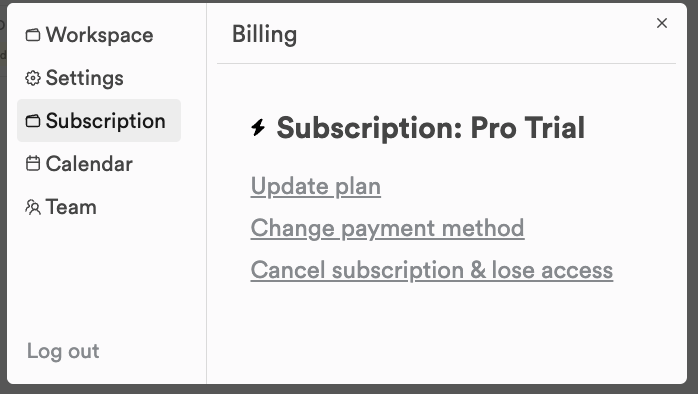
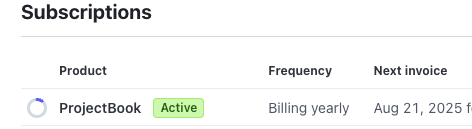
Your payment history is in Stripe's billing portal. Click Settings at the bottom of the left sidebar, open the Subscription tab and click Change payment method. Stripe opens, with your invoice history listed.
How do I request a refund?
We do not offer refunds on any of our plans. Switching from monthly to yearly does not refund anything either: the monthly subscription ends with no credit for the time left on it. If you think you were charged by mistake, write to us at contact@projectbook.co.
How can I reach you if there is a problem with my account?
Your business is really important to us. Email contact@projectbook.co and we will get back to you.
How does ProjectBook handle my payment?
We use Stripe to handle all payments and processing. Your card details go straight to Stripe, and ProjectBook never sees or stores your full card number. When our team answers your support requests, they may look at the payment information in our system.
Still stuck?
Write to us at contact@projectbook.co and say what you were trying to do. A screenshot helps.
Contact support